

Inven now works inside PowerPoint and Excel. Ask Inven to build and edit slides, pull live data, and finish your deck or model.
What is Inven for PowerPoint and Excel?
Inven's PowerPoint and Excel add-ins bring its AI and private market data directly into the tools where you build slides and models.
Ask Inven to build and edit slides in your firm's template, and pull company and financial data into your model. Every number and graph Inven adds is traceable to source.
Less switching tools and copy-pasting. More time for the work that needs your judgment.
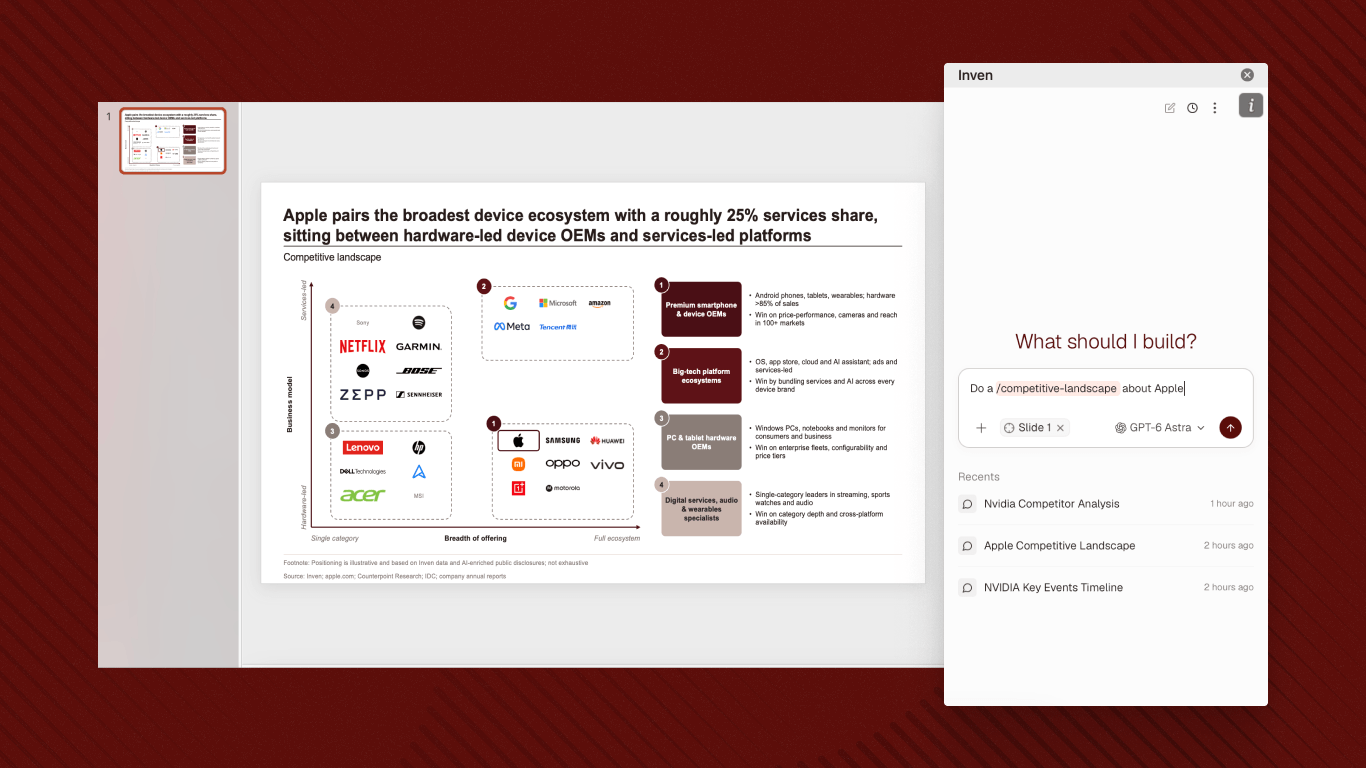
What can you do with the Inven PowerPoint add-in?
- Run Inven Workflows for slides. Type / to choose from your firm’s workflows or Inven’s pre-built ones: company one-pagers, strip profiles, competitive landscapes, logo fetcher, and more.
- Create a slide from a prompt. Describe the slide you need. Inven builds it in your firm’s template.
- Add to a deck in progress. Already 30 slides in with your team? Ask Inven to add a slide to your deck, following the same style.
- Edit selected elements. Change colors or text across the entire deck at one go.
- Finish the deck. Fill in company logos, fix typos and alignment.
What can you do with the Inven Excel add-in?
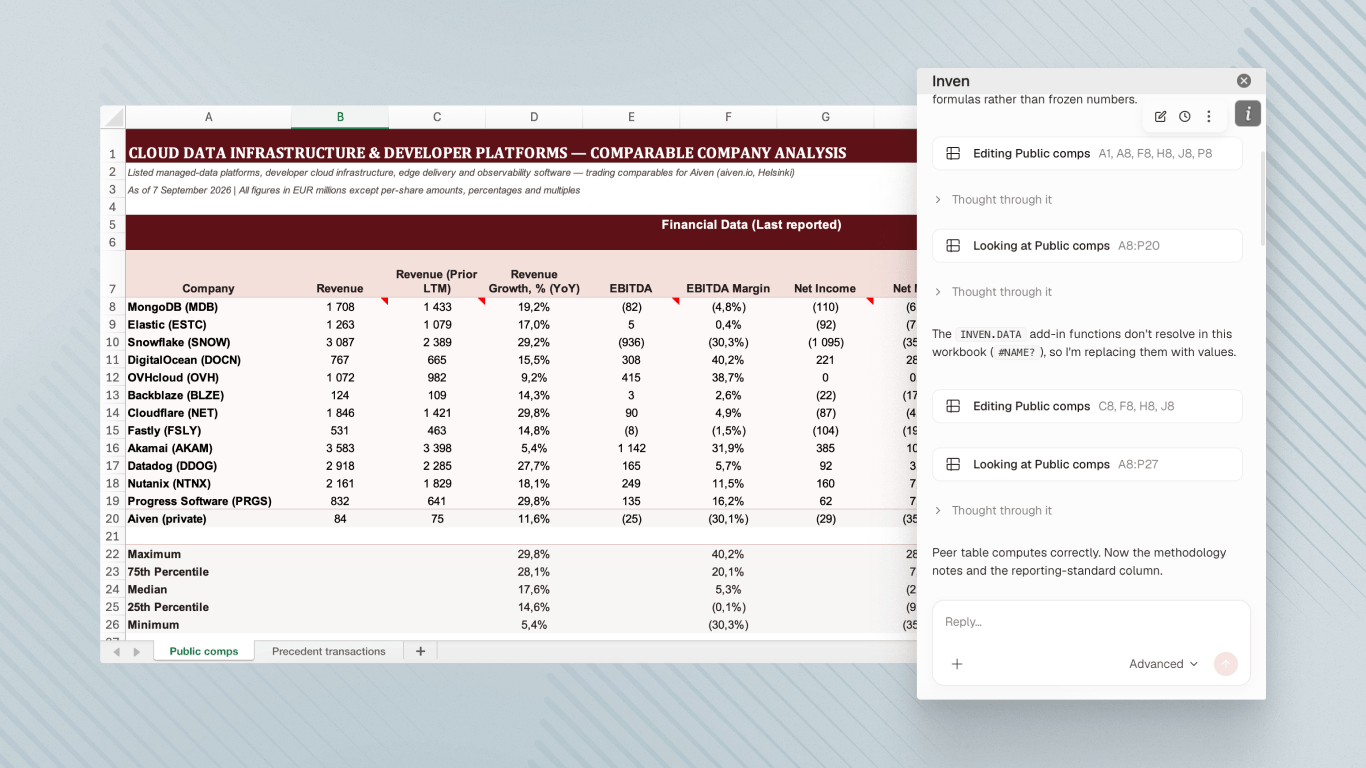
- Pull live data. Revenue, EBITDA, ownership, headcount, and more across 28M+ companies.
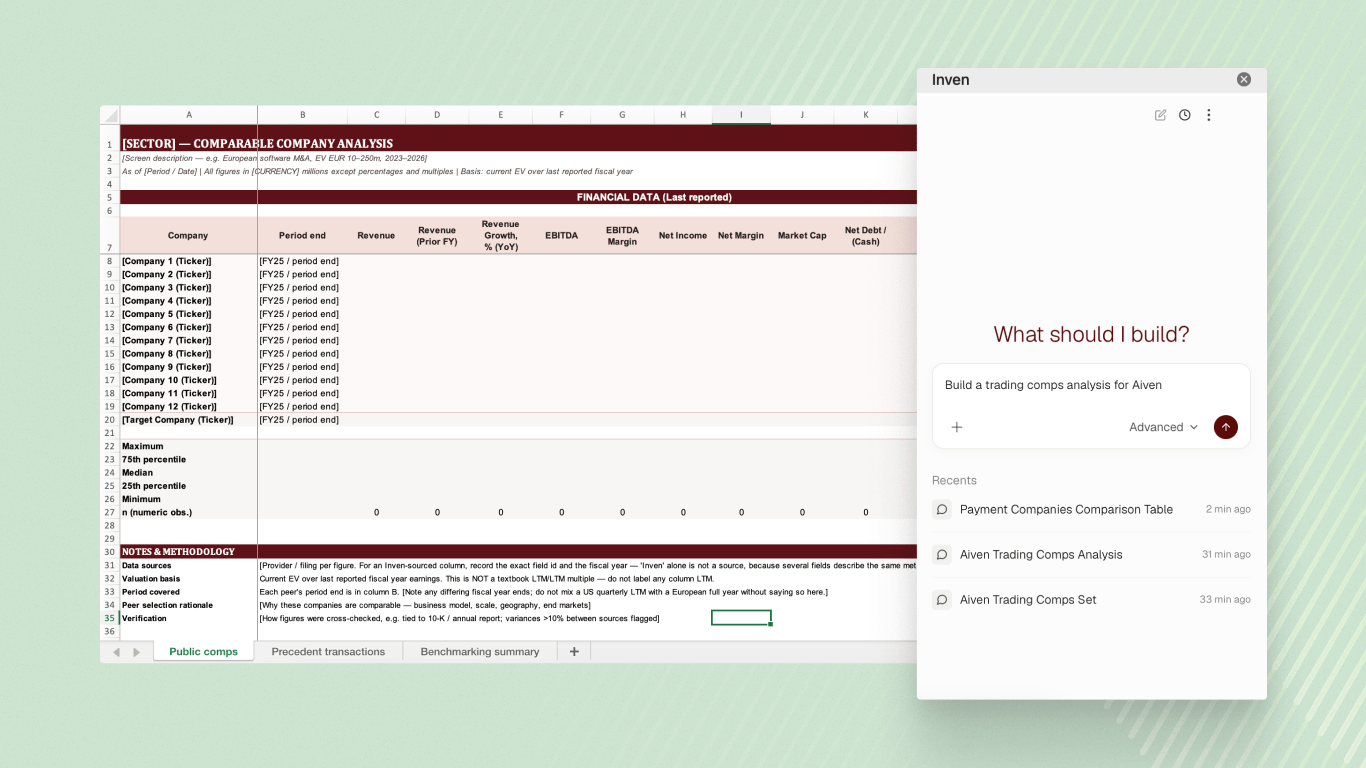
- Run Inven Workflows for models. Type / to pull up your firm’s saved workflows, or Inven's pre-built ones: valuation analysis, comp sets, and more.
- Enrich your model in place. Add columns and restructure a spreadsheet from a prompt.
- Keep it current. Update any cell without copy-paste or rekeying by hand.
How do M&A teams use Inven for PowerPoint and Excel?
Across private equity, investment banking, consulting, and corporate development, teams use the PowerPoint add-in to build slides in their firm's format with saved workflows, edit a deck in progress, and put the finishing touches on their work.
With the Excel add-in, they pull revenue, EBITDA, ownership, headcount, and more Inven data straight into their models, and keep them current without rekeying numbers.
How to start using Inven in PowerPoint and Excel?
For larger organizations, your Microsoft administrator may need to get the add-ins from Microsoft Marketplace and deploy them firm-wide, before team members can use them.
Users in smaller teams may be able to install them directly from the Marketplace: Inven for PowerPoint, Inven for Excel
Deploy to your organization (for Microsoft Admins)
- Open the Marketplace listings and click Get it now: Inven for PowerPoint, Inven for Excel
- You'll be redirected to admin.cloud.microsoft.
- Select All users and click Next
- Accept the permission request and click Next
- Review the details and click Finish deployment
- Once deployment completes, click Done
After deployment, users can activate the add-ins in PowerPoint or Excel:
- Restart or open Microsoft PowerPoint or Excel
- On the Home tab, click Add-ins and search for "Inven”
- Select "Inven for Excel" or "Inven for PowerPoint" and click Add
- Sign in with your Inven account and start working
Install for yourself
- Open the Marketplace listings and click Get it now: Inven for PowerPoint, Inven for Excel
- Open Microsoft PowerPoint or Excel
- On the Home tab, click Add-ins and find "Inven”
- Sign in with your Inven account and start working
Not using Inven yet? Book a demo and bring a deck or model. We'll show you what it can do in PowerPoint and Excel.
See the full private market
1,000+ M&A teams use Inven to find the companies others miss.

Join 1,000+ M&A teams using Inven analyze entire markets and build polished deliverables — backed by private market data.
Frequently asked questions
How do I start using Inven in PowerPoint and Excel?
Larger organizations usually need a Microsoft administrator to deploy the add-ins firm-wide first. Smaller teams can often install them directly from the Microsoft Marketplace. Full setup instructions in the article above.
Should I use the PowerPoiint and Excel add-ins, or work in Inven directly?
Start in Inven when you're first researching the market and running the full analysis, before turning it into a deliverable. Use the add-ins when you're building on a file that already exists: adding a slide to a 30-slide deck, editing a draft slide, or adding a column to a spreadsheet you're already working in.
What slides can Inven for PowerPoint build?
Inven can build any slide from a prompt or saved Workflow: company overviews, target overviews, market maps, competitive landscapes, and more. It can also edit selected elements, add logos, fix formatting, and catch typos on a deck in progress.
What can Inven for Excel do?
Inven pulls live company and financial data — revenue, EBITDA, ownership, headcount — across 28M+ companies straight into your spreadsheet. It can also run your team's saved Workflows, enrich a model in place, and update numbers with a prompt.
Can Inven for PowerPoint follow my firm's template?
Yes. Inven builds and edits slides in your firm's template, and keeps formatting intact when it adds to a deck in progress.
Lorem ipsum dolor sit amet, consectetur adipiscing elit, sed do eiusmod tempor incididunt ut labore et dolore magna aliqua. Ut enim ad minim veniam, quis nostrud exercitation ullamco laboris nisi ut aliquip ex ea commodo consequat. Duis aute irure dolor in reprehenderit in voluptate velit esse cillum dolore eu fugiat nulla pariatur.